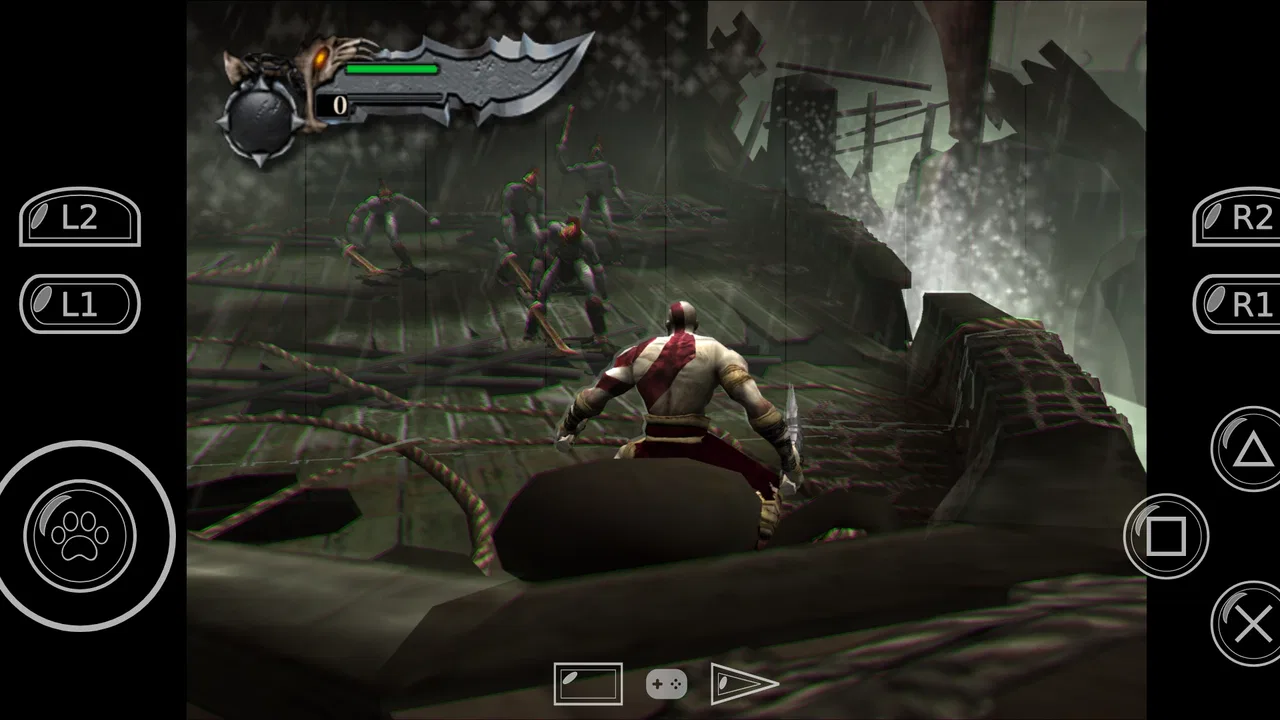
Ps2 64bit Plugins arm64
- 3.9
- Rating
- 1.00M
- Installs
- Free
- Price

 Analysis by App-foxy
At first glance, Ps2 64bit Plugins arm64 looks like a specialist utility rather than a complete entertainment app. Its purpose is to provide PlayStation 2 plugins for 64-bit ARM architecture, so its usefulness depends heavily on the emulator and device you already have. I approached it as a practical companion, not as a standalone way to play games, and that distinction matters from the first minute.
The app is free, rated for Everyone, and developed by Elegator Dev Inc. It belongs to the Libraries & Demo section, which is a better description than calling it a game or a general-purpose tool. I would recommend it to someone who is already experimenting with PS2 emulation on a compatible Android phone or tablet. I would not recommend installing it casually if you expect a visual interface full of games, automatic setup, or an all-in-one emulation experience.
What the first week feels like
The first-week appeal comes from its narrow focus. When an emulator needs the right plugin architecture, finding a package aimed at 64-bit ARM devices can remove one frustrating part of the setup process. Instead of treating every plugin as interchangeable, I found it more useful to think of this app as a small piece in a larger chain: the device, the emulator, the plugin format, and the game configuration all have to agree.
You May Also Like

 Blood Strike: 2.5 Anniversary
Blood Strike’s Loadouts Turn Every Drop Into a Tactical Gamble
A close look at Blood Strike’s custom loadouts: how fast access to signature weapons reshapes its battle royale rhythm, rewards preparation, and narrows the gap between fights.

 Pandora - Music & Podcasts
Pandora’s Music Is Easy to Start, but Harder to Recover
Pandora’s strength is its low-effort path from a seed to a station. Its weak spot is how much confidence it asks you to place in connection, setup, and quiet recovery.

 8 Ball Pool
 Is Built on Rivalries, Rematches, and Routine
A close look at the rivalries, rematches, shared routines, and unanswered safety questions that turn a quick pool match into a persistent mobile community.

 Samsung Music
’s Quiet Strength Is Playing What You Already Own
Its reach comes less from spectacle than from dependable access to a personal library. That simplicity is both the app’s strongest retention engine and its ceiling.

 AccuWeather: Weather Radar
AccuWeather Review: A Quick, Clear Forecast for Everyday Decisions
For everyday plans, the best forecast is the one you can understand quickly. AccuWeather makes rain timing, radar, and local conditions easy to act on, with a few trade-offs.

 Hill Climb Racing
Why Hill Climb Racing Still Turns Crashes Into One More Run
A tiny car, a bumpy hill and one more upgrade: Hill Climb Racing keeps resurfacing because its simple chaos makes every near-miss feel personal.
More From Our News Desk
View All News


That also explains why the app may feel underwhelming to a newcomer. Installing a plugin package is not the same as configuring an emulator. The app does not turn a phone into a PS2 system by itself, and it does not replace the emulator that will actually load the files. If you open it without knowing which emulator or architecture you are targeting, the experience can feel unclear rather than immediately rewarding.
My practical advice is to start with one known setup instead of changing several things at once. Confirm that the phone uses a compatible 64-bit ARM environment, identify the emulator that should use the plugin, and keep the original configuration available before testing anything. This simple habit makes troubleshooting much easier because you can tell whether a problem comes from the plugin, the emulator, or the game settings.
The app’s current version is 229, and that version detail is useful when comparing behavior with an older installation or discussing setup steps with another user. I would keep the version visible in my notes while testing, especially if I were moving between devices. A plugin that works in one emulator build may still require a different selection or configuration in another, so treating the package as a universal fix would be a mistake.
Who gets value immediately
The strongest early use case is a person who has already installed a PS2 emulator and is missing a suitable plugin for an ARM-based Android device. For that user, a free specialist app can be a convenient place to begin. It may also help someone rebuilding an emulation setup after changing phones, because a focused plugin package is easier to search for than a collection of unrelated tools.
It is less suitable for a first-time emulation user who wants clear explanations at every step. If you have never dealt with plugins, BIOS files, game images, graphics backends, controller mapping, or per-game settings, this app is only one small answer among many questions. I would start with the emulator’s own documentation or a well-explained setup guide, then use this package when you know exactly what component you need.
Another useful first-week habit is to test with a game that already runs acceptably in your emulator. Trying to diagnose a new plugin and a difficult game at the same time creates false conclusions. If the familiar title behaves normally after the change, you have a clearer baseline. If it does not, you can revert without wondering whether the game itself was always demanding.
How it fits into an ordinary evening
A realistic scenario would be someone who has a compatible Android phone, a legal PS2 game backup, and an emulator that launches but needs an appropriate plugin. After installing the package, that person selects the relevant component inside the emulator, tests a familiar title for a few minutes, and checks whether controls, graphics, and saving still behave as expected. The app is valuable in that workflow because it addresses a specific missing part, not because it replaces the rest of the process.
I would avoid making changes just before an important gaming session. Plugin work is better treated like maintenance: make one adjustment, test it, and keep the previous working choice in mind. If the goal is simply to play without tinkering, a mature console-focused alternative or a handheld device with a simpler setup may be a better fit than adding another configuration layer to Android.
Does it keep earning space over time?
The month-to-month value is more conditional than the first-week appeal. Once the emulator is working, most people will not interact with the plugin app every day. Its recurring value comes from being available when a device changes, an emulator is reinstalled, or a particular configuration needs to be rebuilt. That makes it closer to a toolkit component than a daily app.
For an enthusiast who regularly maintains several emulation setups, that can be enough. Keeping a known plugin source available saves time when starting over. It is also useful for users who enjoy testing different combinations of device architecture and emulator settings. In that context, the app earns its place through readiness rather than frequent opening.
For everyone else, the long-term value may fade quickly after the initial setup. If your emulator already runs the games you care about and you rarely change devices, there is little reason to revisit a plugin package. I would not keep it installed purely because it might become useful someday unless storage is plentiful and the setup is important to me.
The public reception gives a mixed but reasonably positive signal: the app has a 3.8 average from around 5,100 ratings, with more than a million installs. Those figures suggest that it has found a real audience, but they do not turn it into a guaranteed solution for every emulator. A plugin’s usefulness is unusually dependent on the surrounding software, so a broad install base should not be confused with universal compatibility.
Maintenance is the real test
The maintenance burden is manageable when the user keeps the setup simple. I would record which emulator version, plugin choice, and graphics settings worked together. That small record is more valuable than repeatedly reinstalling components from memory. It also makes it easier to undo an experiment when performance becomes worse.
One non-obvious trade-off is that a plugin can improve compatibility in one situation while creating new tuning work in another. A title that launches may still show graphical glitches, unstable speed, audio problems, or controller behavior that requires emulator-side adjustments. I would judge the package by the complete result, not by whether the plugin appears in a selection menu.
Another practical tip is to separate installation from optimization. First confirm that the emulator recognizes the plugin and can return to its normal menu. Then test a game. Only after that would I change resolution, rendering options, speed controls, or controller settings. Changing all of these together makes a successful improvement difficult to repeat and a failed experiment difficult to reverse.
Storage and organization also matter over time. Plugin files can become confusing when several similarly named components are present, especially after multiple emulator installations. I would keep only the version I actually use unless I have a clear reason to retain another one. A tidy setup reduces the chance of selecting the wrong component later.
Where fatigue begins
The biggest source of fatigue is the gap between the app’s narrow purpose and the expectations many people bring to a download. The short store description identifies PS2 plugins, but that does not explain the surrounding work. Users still need to understand architecture, emulator support, game compatibility, and configuration. Anyone expecting a one-tap performance upgrade may leave disappointed.
There is also a psychological cost to troubleshooting. When a game stutters or displays incorrectly, the plugin is only one possible cause. The phone’s processor, thermal behavior, emulator settings, game image, controller mapping, and background activity can all affect the result. Because the app sits inside that chain, it can be blamed for problems it cannot directly control.
I would also be cautious about assuming that a 64-bit ARM label answers every compatibility question. It identifies an important part of the target environment, but the emulator still has to support the plugin and expose the right option. A compatible processor architecture is necessary for the intended use, not a promise that every Android device or every PS2 title will behave identically.
For users who prefer polished, guided products, the lack of an all-in-one experience may become tiring. A dedicated emulator with built-in management, a device with established emulation support, or a simpler retro platform may offer a smoother recurring routine. Those alternatives can be preferable when the main goal is predictable play rather than learning how the parts fit together.
Questions worth answering before installation
Is it a complete PS2 emulator? No. I would treat it as a plugin-focused utility that supports a broader emulation setup. You still need a compatible emulator and your own properly obtained game material. Installing this app alone will not provide a playable library or a console-style front end.
Will it work on every Android phone? I would not assume that. The intended focus is 64-bit ARM architecture, and the emulator must also recognize and use the relevant plugin. Checking the device architecture and the emulator’s supported plugin options before installation is the sensible first step.
Does free mean there is no setup cost in time? Not necessarily. The app itself is free, but the surrounding configuration can take patience. If you are comfortable testing settings and keeping notes, that effort is reasonable. If you want to press play immediately, the learning curve may outweigh the benefit.
Should it remain installed permanently? My answer depends on how often you rebuild or adjust emulation setups. Enthusiasts, testers, and people who change devices may appreciate having it ready. Someone with a stable setup and limited storage can remove it after confirming that the emulator no longer needs it, then reinstall it if a future rebuild requires it.
Is it appropriate for children? The content rating is Everyone, but the practical workflow is technical and may involve emulator configuration and game files. I would view the rating as describing the app’s general content, not as a guarantee that the entire emulation setup is simple or suitable without adult guidance.
My long-term verdict
After the novelty fades, Ps2 64bit Plugins arm64 earns lasting space only for a specific kind of Android user. I see genuine value for people maintaining PS2 emulation on 64-bit ARM hardware, especially when they need a focused plugin component during setup or recovery. Its free availability and specialist purpose make it easy to try without committing to a paid tool.
My reservation is that the app’s success is inseparable from software around it. It cannot guarantee smooth games, remove emulator tuning, or make incompatible hardware suitable. The best results come from a careful workflow: verify the architecture, identify the emulator, change one component at a time, test with a familiar title, and preserve a working configuration before experimenting.
Elegator Dev Inc. has positioned this as a practical library-style utility rather than a broad gaming product, and that is how I would judge it. If you already understand why you need a PS2 plugin, it can be a useful part of the toolbox. If you are looking for a complete, low-maintenance way to play, I would choose a more integrated alternative and skip the extra layer of configuration.
My final recommendation is therefore selective rather than enthusiastic: install it when your emulator setup specifically calls for a 64-bit ARM plugin, and keep it only while it serves that purpose. In that situation, it can save a frustrating step. Outside that situation, its recurring value is too limited to justify expecting it to become a daily app.
FAQs for Ps2 64bit Plugins arm64
01What are the system requirements for Ps2 64bit Plugins arm64?
Ps2 64bit Plugins arm64 requires a device running Android with arm64 architecture. It is optimized for devices with at least 4GB of RAM for smooth operation. Ensure your device is updated to the latest OS version for compatibility and performance enhancements. A minimum of 500MB of free storage is also recommended.
02How do I install Ps2 64bit Plugins arm64 on my Android device?
To install Ps2 64bit Plugins arm64, download the APK file from a trusted source. Once downloaded, navigate to your device’s settings and enable installations from unknown sources. Open the APK file to begin the installation process, and follow the on-screen instructions to complete it.
03Can I use Ps2 64bit Plugins arm64 on iOS devices?
Currently, Ps2 64bit Plugins arm64 is developed specifically for Android devices with arm64 architecture. There is no iOS version available at this time. Users with iOS devices will need to look for alternative apps compatible with their system.
04Is Ps2 64bit Plugins arm64 safe to use?
Yes, Ps2 64bit Plugins arm64 is safe to use when downloaded from official or verified sources. Always ensure you download the app from reputable websites to avoid malware. Regular updates are released to fix any vulnerabilities and improve security.
05What features does Ps2 64bit Plugins arm64 offer?
Ps2 64bit Plugins arm64 provides enhanced graphics rendering and improved performance for PlayStation 2 emulation. It supports various controllers, offers customizable settings for optimal gameplay, and includes frequent updates to ensure compatibility with the latest games and device OS updates.
Pros
- Enhanced graphics rendering capabilities.
- Supports multiple controller configurations.
- Wide range of compatible games.
- Regular updates improve performance.
- Open-source with active community support.
Cons
- May require high-end device specs.
- Occasional crashes on older devices.
- Complex setup for beginners.
- Inconsistent game compatibility.
- Limited official troubleshooting resources.

Ps2 64bit Plugins arm64
Gallery